


Group Users by Channel for Enhanced Organization
With the latest update, you can effortlessly create groups based on the channels through which users were added. For example, you can group all users added via API, simplifying your organization and access control.
Display Subfields in Submissions Grid View
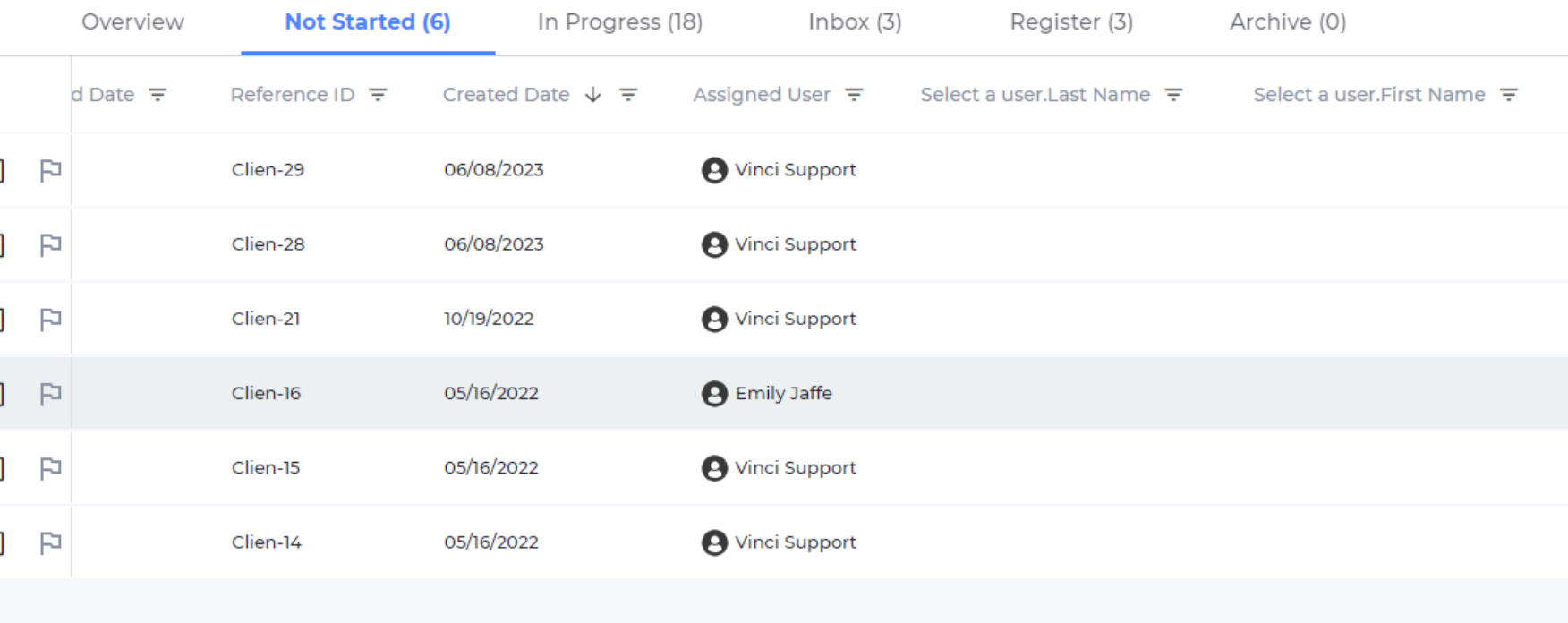
Subfield data now displays right within the grid, without the need to dive into individual submissions. This empowers you to make informed decisions swiftly and streamline your data analysis process. A subfield will appear in the grid by displaying the field title followed by the key field it belongs to. For example, in the image below, the form has a key field called “Select a user” which returns the users first and last names as subfield.
Bug Fixes
- Fixed an issue where some user were experiencing long loading times on certain pages.
- Fixed an issue where submission reference IDs were not appearing in the “thank you” message after submitting a form.

